Item Inventory & Dependency Explorer
A desktop tool that turns a sprawling ArcGIS environment into a searchable inventory of every app, web map, service and data source, and answers the question every administrator dreads: if I change this, what breaks?
Nobody could say what was safe to touch
A mature GIS environment accumulates fast: hundreds of services published over years, web maps built on those services, apps built on those web maps, and databases feeding all of it. Portal shows the items but not the connections between them.
Before this tool, answering “can we retire this service?” or “what breaks if this database moves?” meant opening items one by one, checking REST endpoints by hand and hoping nothing was missed. A wrong guess meant broken dashboards in front of leadership or dead links for field crews.
The estate, by the numbers
One geodatabase that knows the whole estate
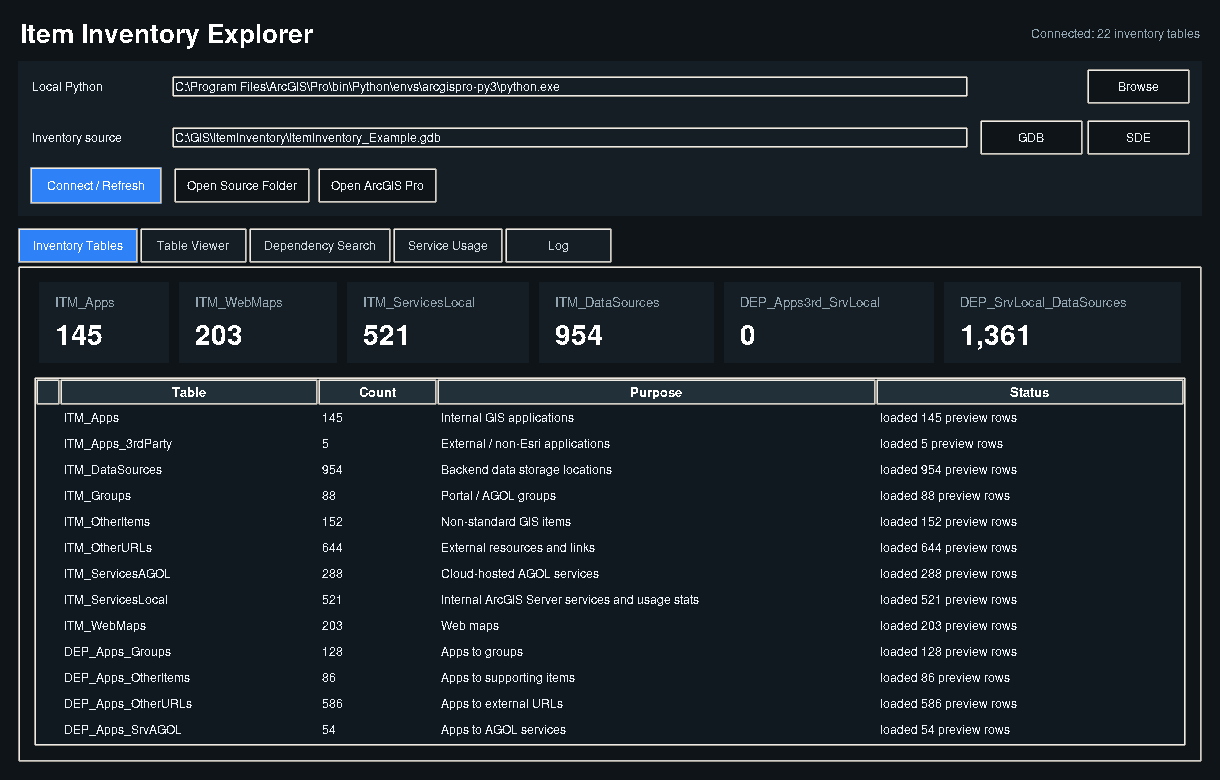
Scheduled Python walks Portal, ArcGIS Online, the REST Admin API and service manifests, then writes what it finds into a geodatabase: nine item tables for the things themselves and thirteen dependency tables for how they connect.
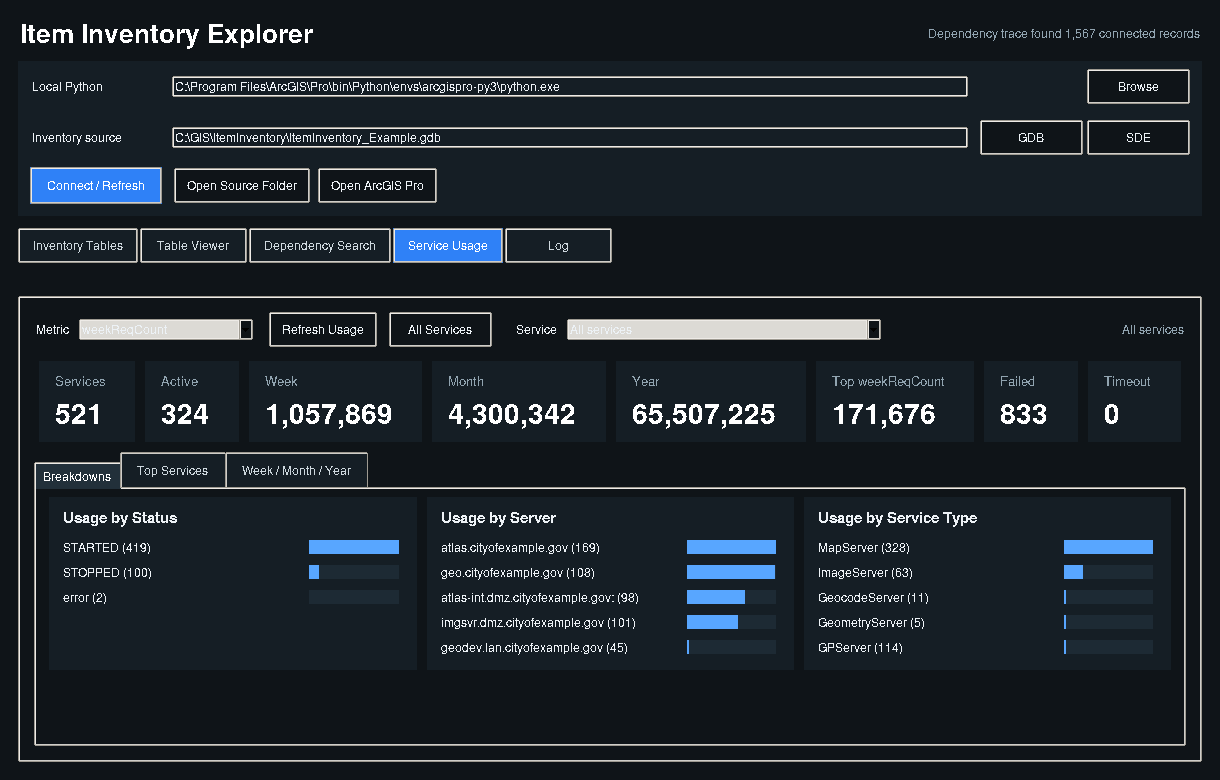
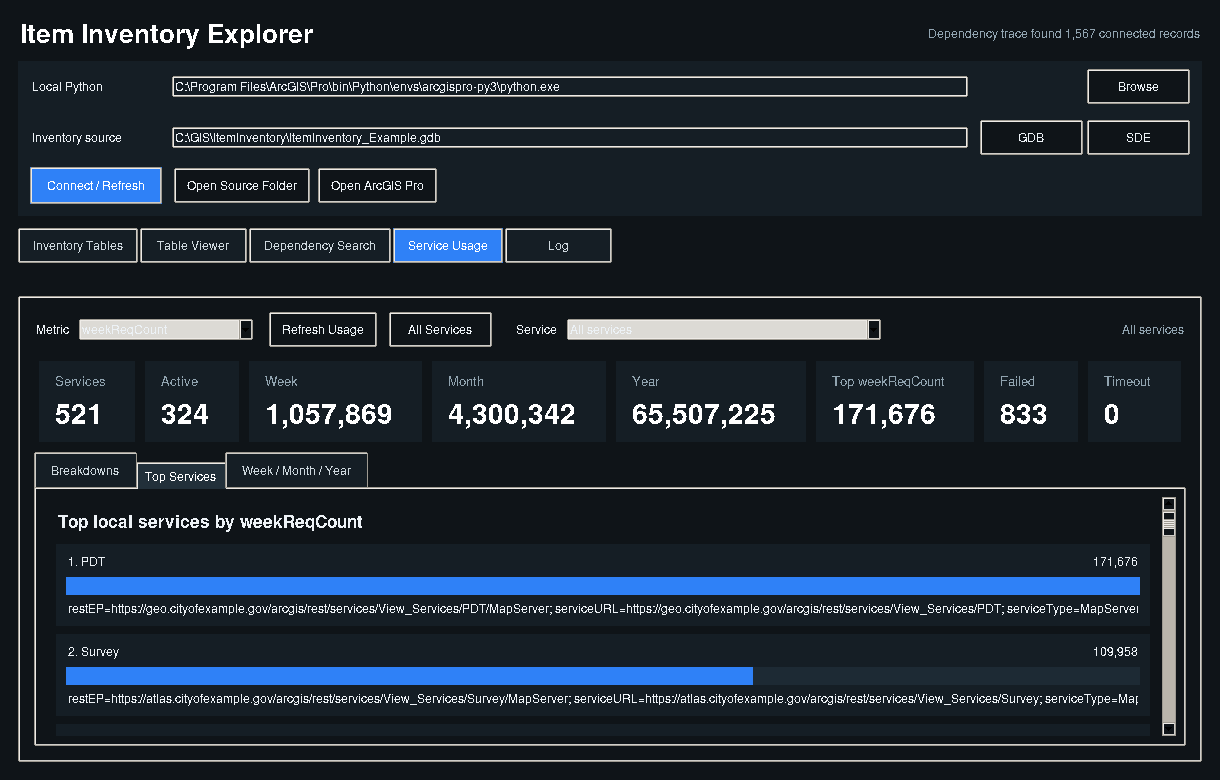
A desktop explorer reads that inventory. Paste a database path, service URL or item ID into Dependency Search and every service, web map and app that touches it appears in seconds. Service Usage ranks services by real request counts so retirement decisions are backed by evidence.
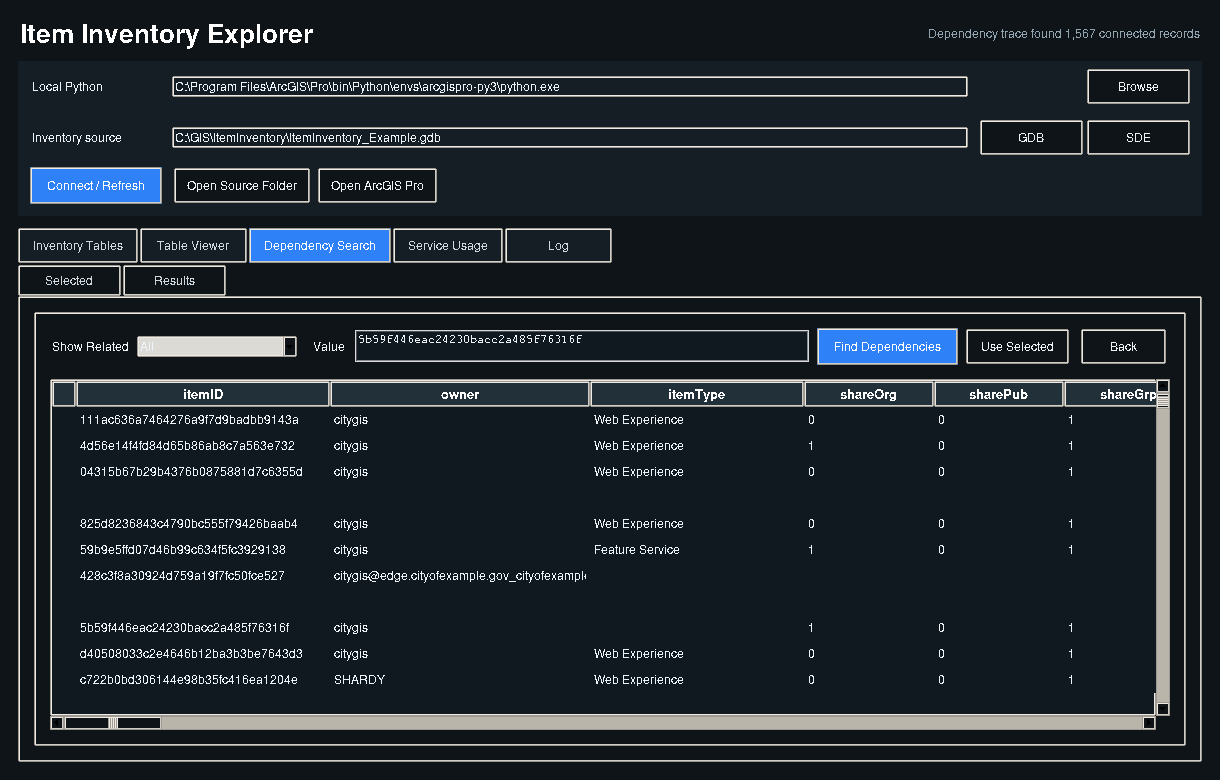
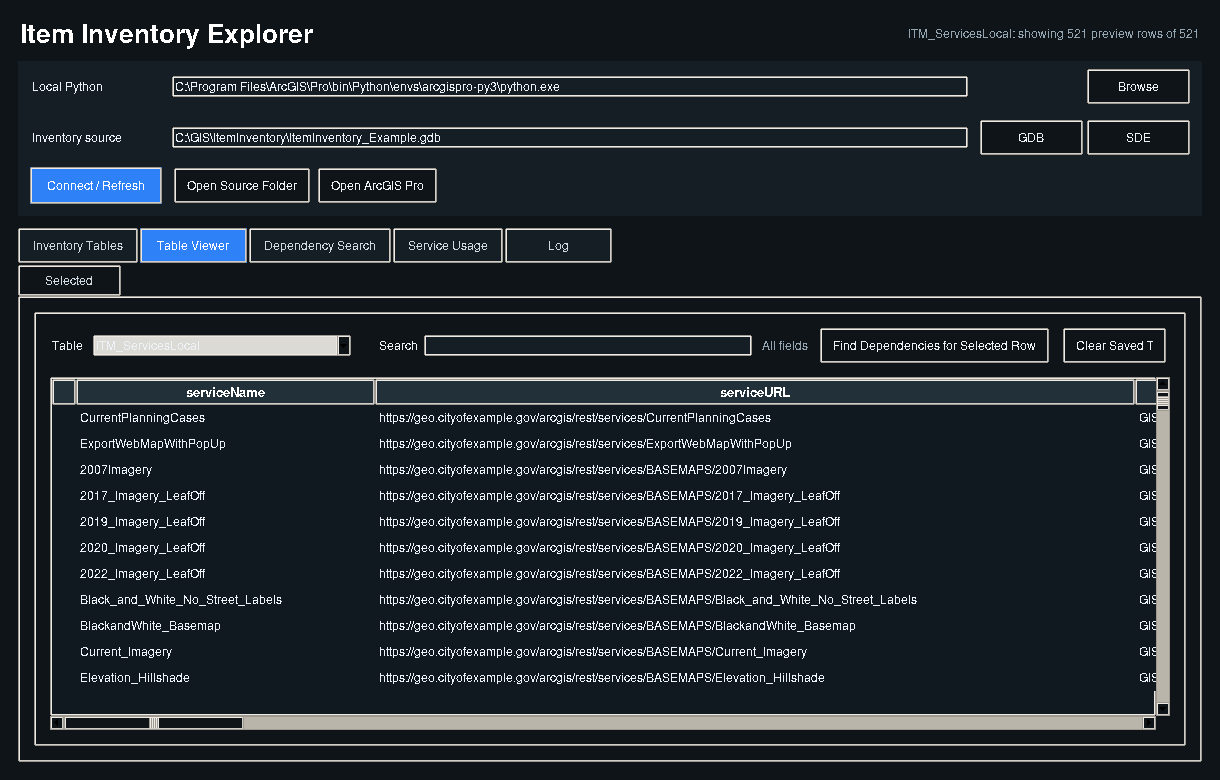
Every screen is the live application
Organization names, URLs and accounts are replaced with generic values. Structure, counts and behavior are exactly as deployed.
How the GIS team uses it
Impact checks in seconds
A database is moving servers. Paste its path and the change plan writes itself, with nothing forgotten.
Retire with evidence
Zero-traffic services with no dependencies are cleaned up, freeing server capacity and upgrade effort.
A record that keeps itself current
The inventory rebuilds on a schedule, so the picture never goes stale between audits.
Ready to talk about your GIS?
Tell us what you are working on. We reply with questions first, then a written scope and a price.